A price on every post
Posts that mention a stock get a live bStocks price pill. Hover it for the price per share, 24h volume, market cap and holders, then ask about it or trade it in one click.
 x.com
x.com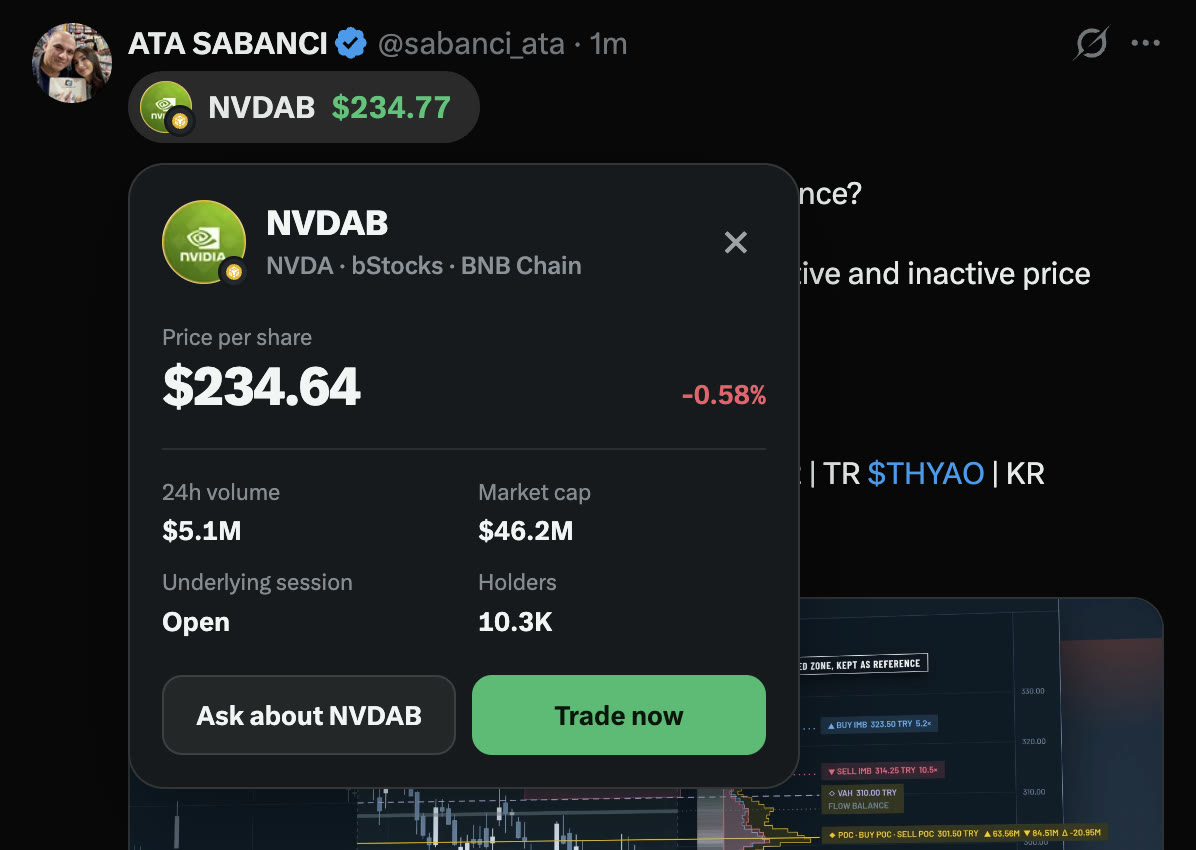
Trade the stocks you read about. Live bStocks prices, an agent that explains them and a one tap buy on BNB Chain, right where you read on X and in any Android app.
 BNB Chain
 MetaMaskmarketwatch.com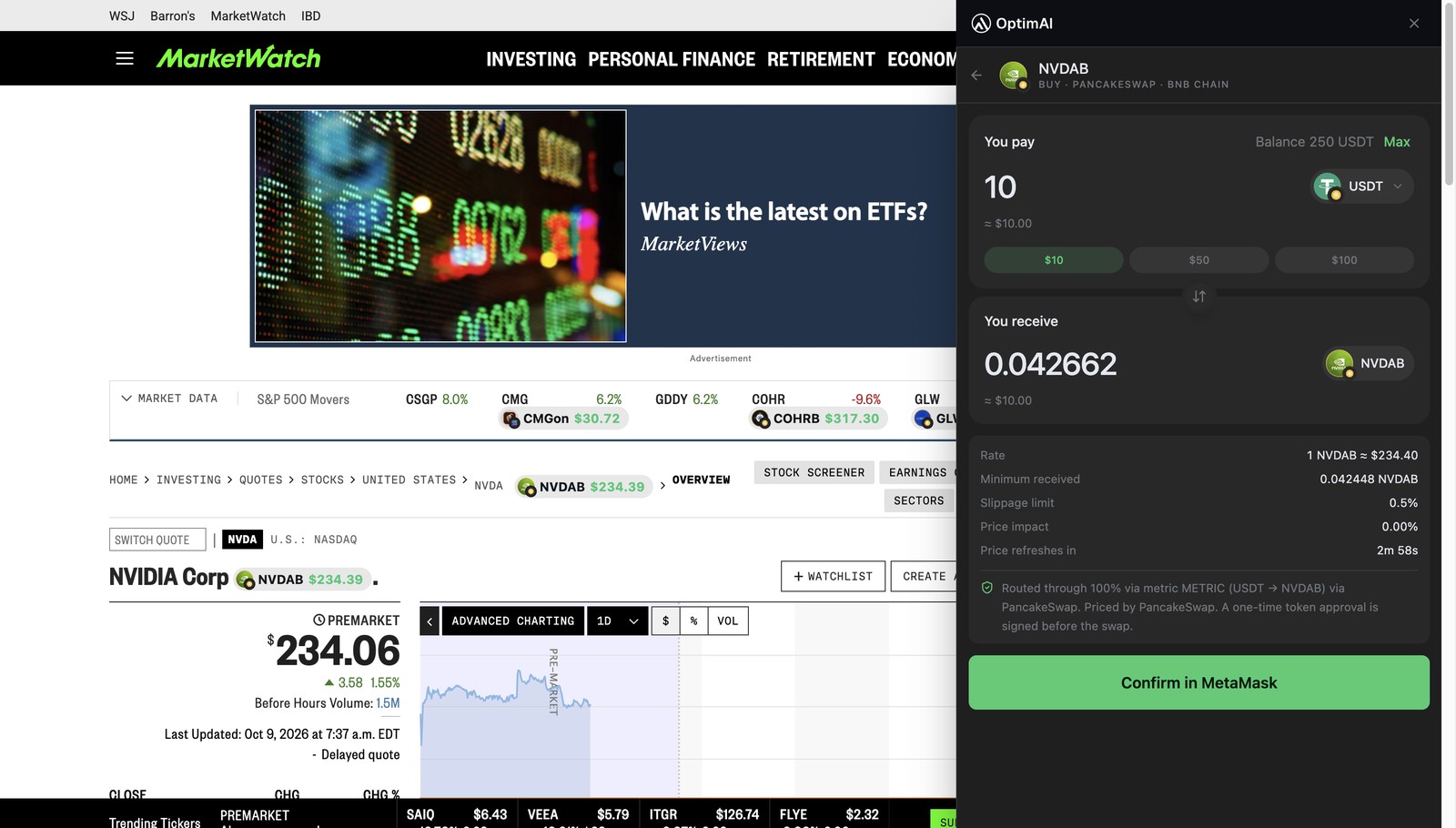
 Chrome extension
From a post to a bStock in one click, on X and on the news sites you already read. Install it
Posts that mention a stock get a live bStocks price pill. Hover it for the price per share, 24h volume, market cap and holders, then ask about it or trade it in one click.
x.comSearch a cashtag and the BNB Chain token sits above X’s own card, with a chart that keeps going while the US market is shut.
x.com/search?q=$NVDA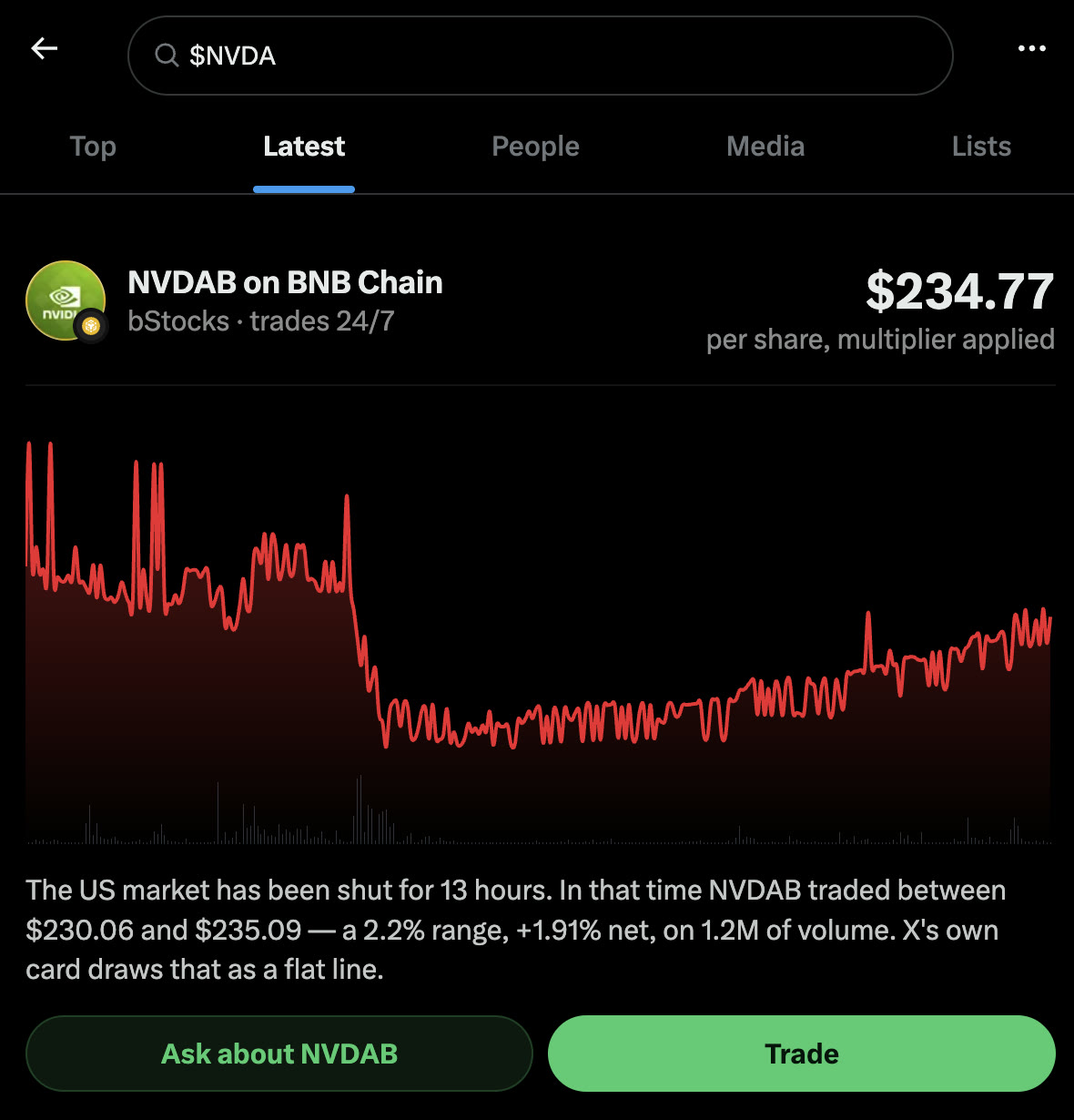
On MarketWatch, CNBC and more, tickers and company names get the same badge and hover card. Trade now opens the buy panel right beside the article.
marketwatch.com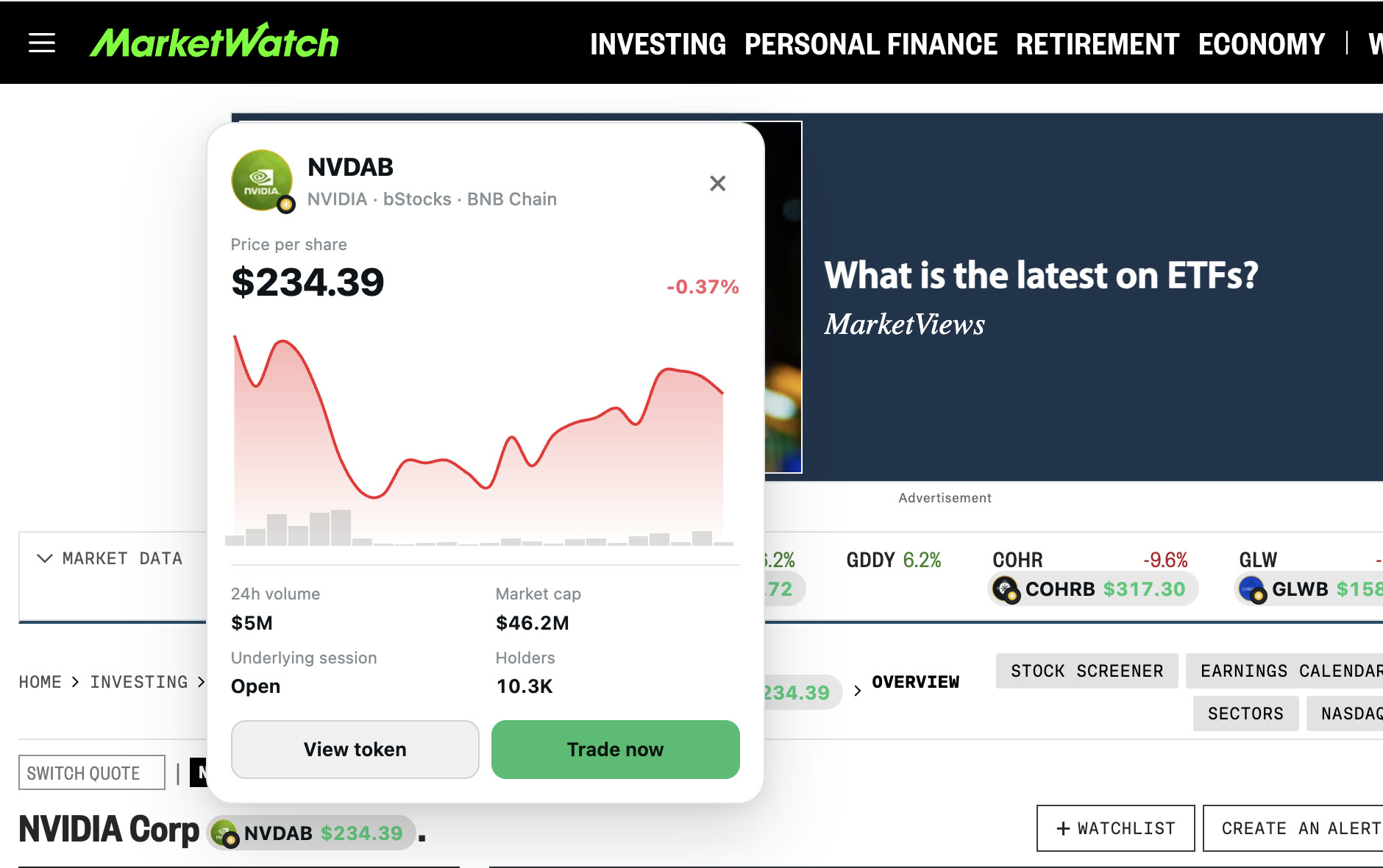
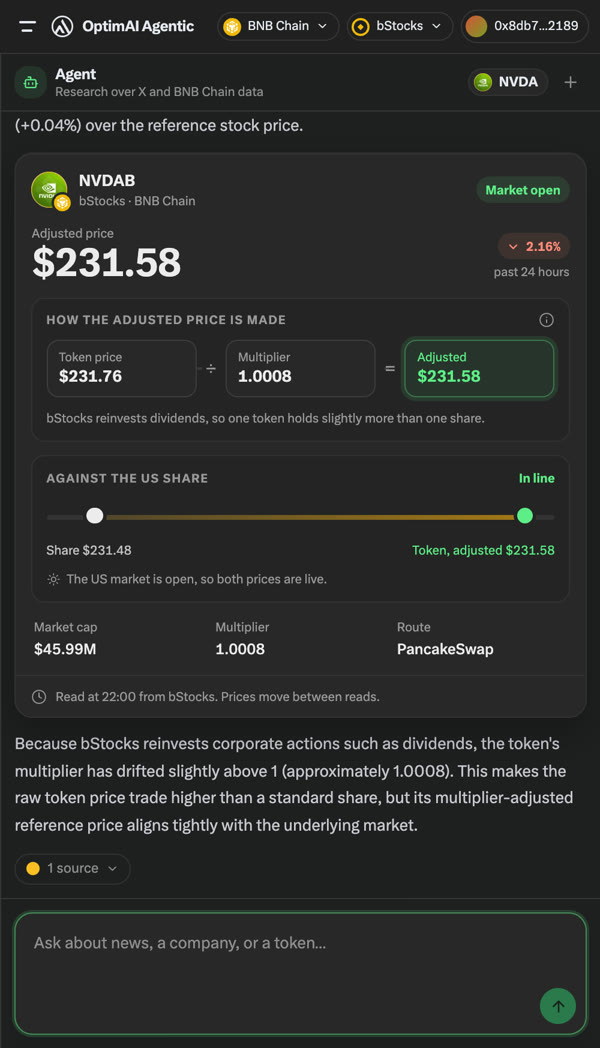
One token is not always one share, so the answer divides the token price by its multiplier, sets it against the US share and cites its sources.
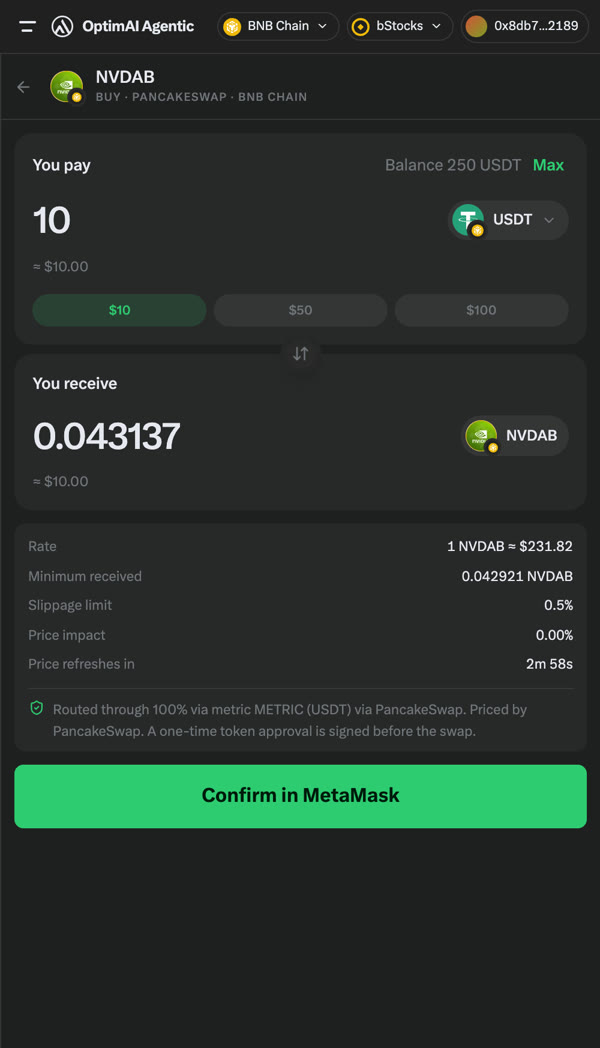
A live PancakeSwap quote in USDT with the rate, minimum received and price impact. MetaMask shows the swap for you to sign or reject.
 Android app
Browse bStocks, ask the agent, and trade from any chat or any post you share. Install it
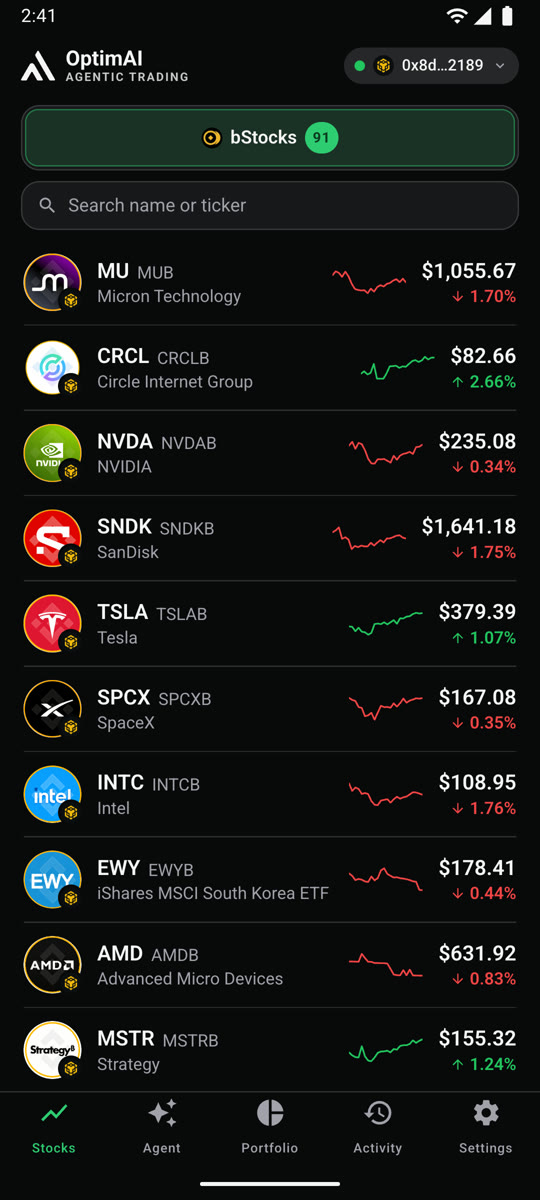
All bStocks on BNB Chain with live prices, sparklines and a detail page per stock.
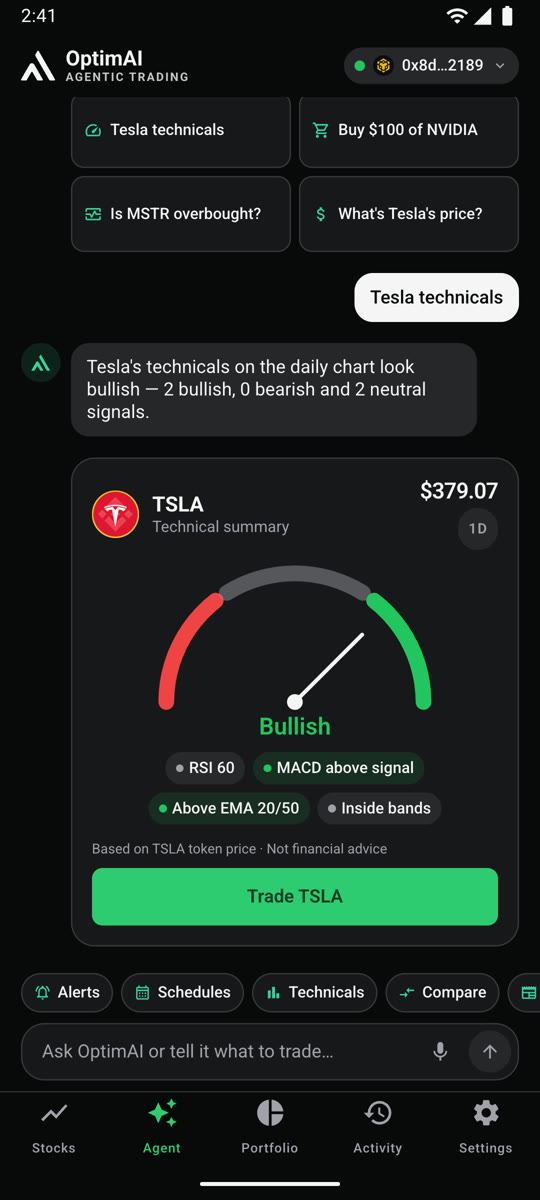
Ask “Tesla technicals” or “Is MSTR overbought?” and get signals in one card.
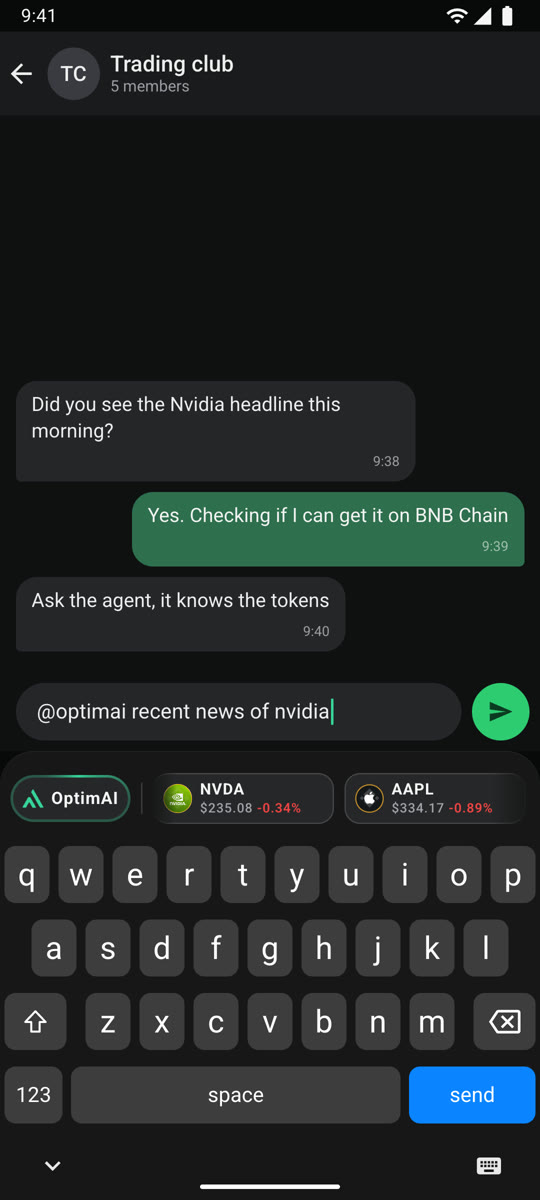
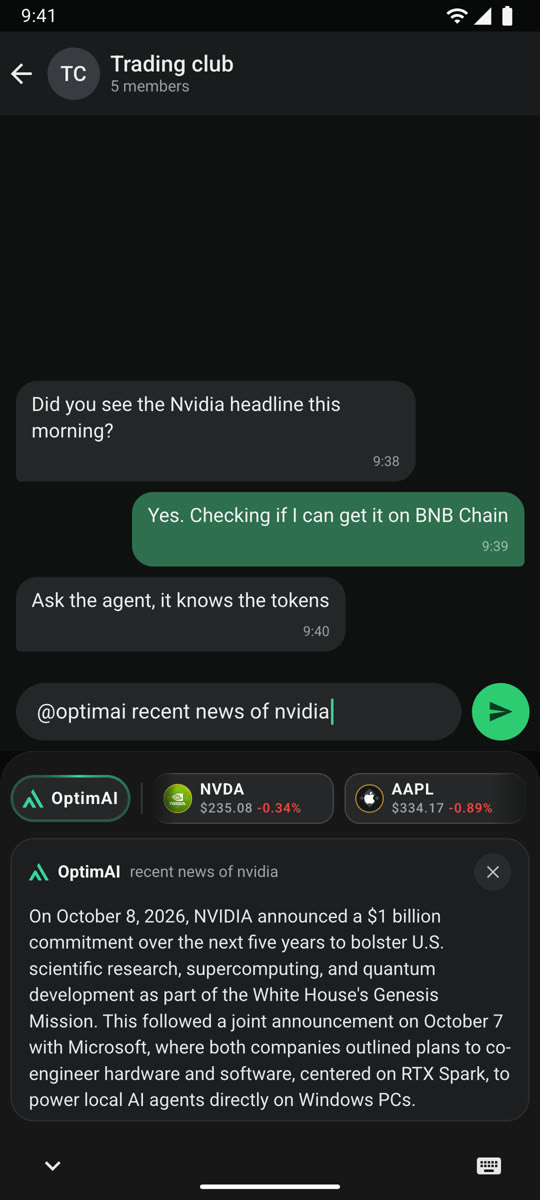
Type @optimai in any chat. Live tickers sit above the keys and the agent answers inside the keyboard.
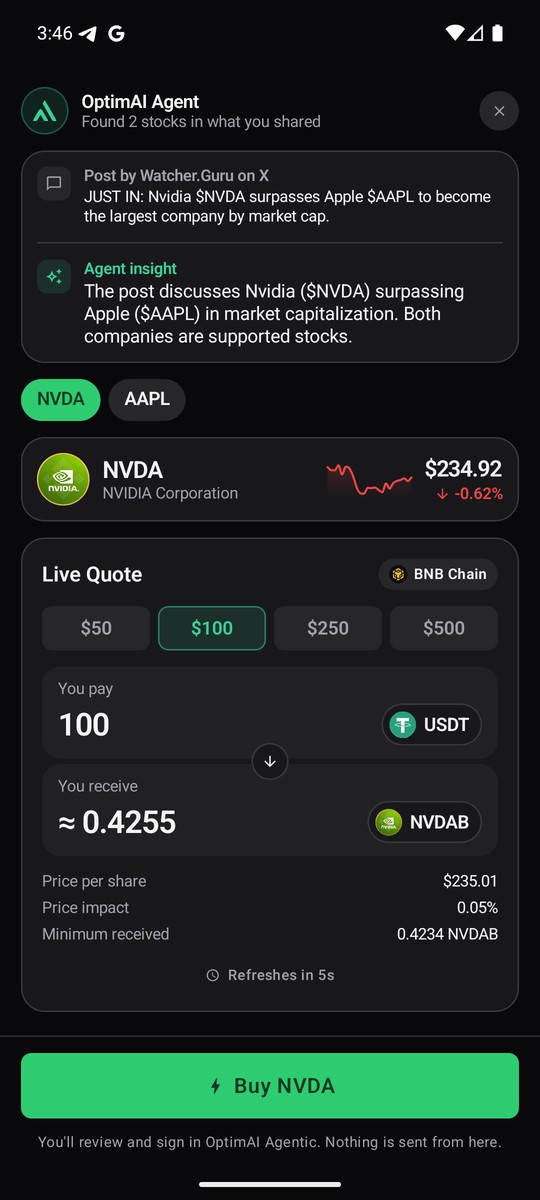
Share any post with Trade with OptimAI. The app finds the stocks it mentions and shows a live quote.
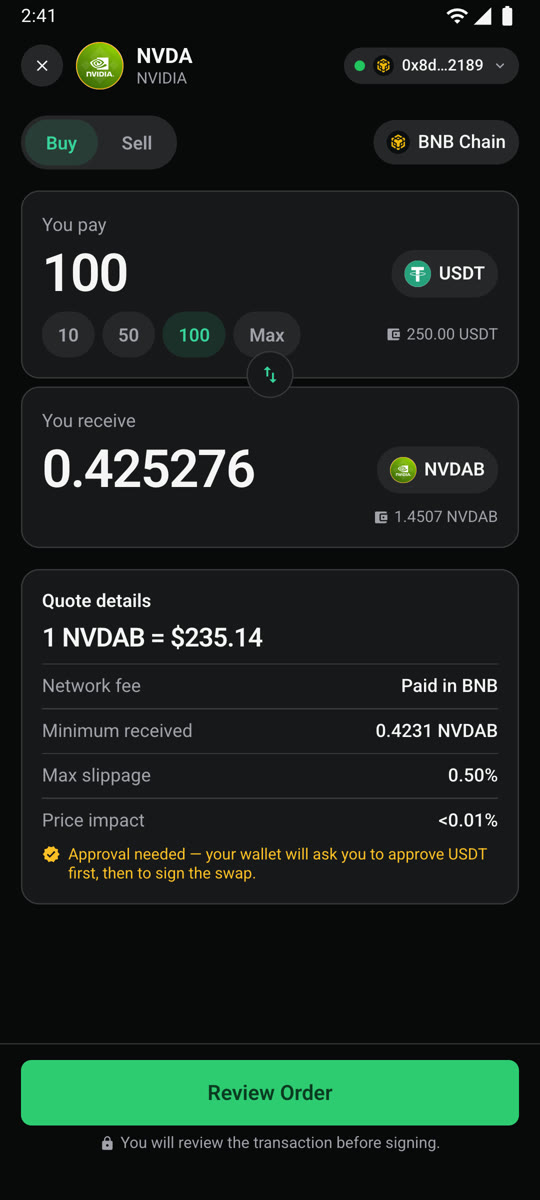
Pay in USDT through PancakeSwap and sign in MetaMask or Trust Wallet.
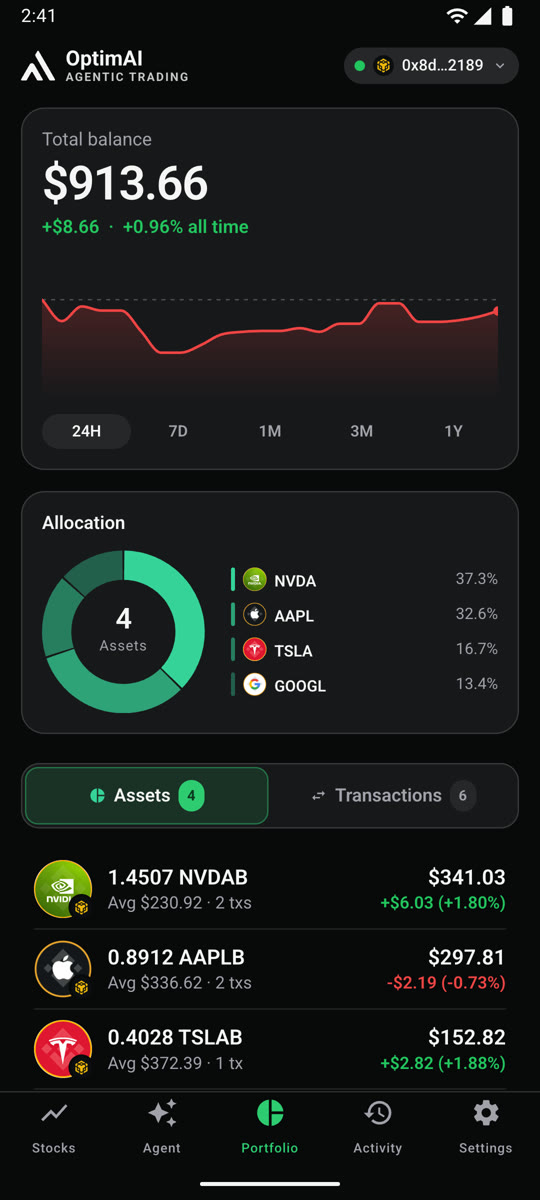
Value, P&L and allocation, with every order linked to BscScan.
No account and no setup. Pick the app you want to try.
Chrome on desktop. MetaMask only to buy.
chrome://extensions, turn on Developer mode, click Load unpacked and pick the folder.Android 8.0 or newer. MetaMask or Trust Wallet to buy.
@optimai buy 50$ nvidia in any chat.Buys are real spot swaps on BNB Smart Chain mainnet, confirmed in your own wallet. Use a wallet with a small balance.
OptimAI Agentic is powered by
A decentralized AI ecosystem at scale, powered by 1M+ nodes to build the data and compute foundation for agentic AI.
Backed by
 YZi Labs
 CMC Labs
 Google for Startups